Borders are more than decorative - they help separate content, highlight important elements, and create structure within your design. In the composer, you can apply borders to rows, columns, and individual content blocks (including buttons). You can style all four sides at once or adjust each side independently.
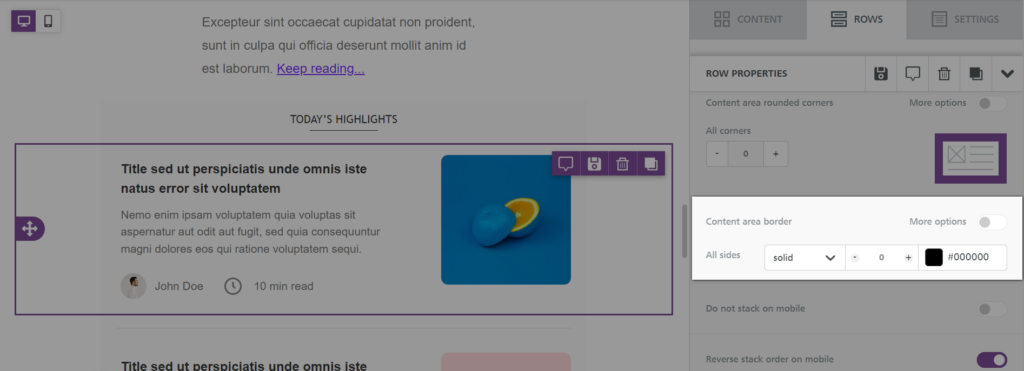
Quick Reference - Border Controls (Click to expand)
- Apply borders to: Rows, columns, or content blocks.
- Styles: Solid · Dotted · Dashed.
- Customize: Thickness · Color · Per-side borders.
- Where to find: Border settings appear in the sidebar (Block options).
- Row borders: Borders must be applied per column.
Try it like this: Add a thin, light gray border around a content block to give your design subtle structure without overpowering the layout.
Before & After Examples
Before (No Border)
Content Block This block has no border. Everything blends into the surrounding area, making it less distinct. |
After (Border Applied)
Content Block This block includes a 2px solid blue border. It now stands out clearly as a separate section. |
Row-Level Border Customization
When your row contains multiple columns, borders must be set for each column individually. This provides maximum flexibility and prevents unintended overlapping borders.
- Select the row: Click outside the content area until the row outline highlights.
- Choose a column: The sidebar displays a Columns Structure section listing each column based on your layout. Select the one you want to edit.
- Apply borders: Border settings appear in the sidebar for the selected column.
Granular Control
Each border setting includes fine-tuning options:
- More options: Toggle this on to individually style the top, bottom, left, and right borders.
- Border style: Choose solid, dotted, or dashed.
- Thickness: Adjust border weight to match your layout hierarchy.
- Color: Choose from your theme or any custom color to complement your design.
Tip: When adding borders to multi-column rows, keep your border style consistent so the layout feels unified.
Related to